
Table of contents
Quick Answer, Quantower Review
- • Quantower is a Windows-only modular trading platform with native footprint charts, volume profile, TPO, and a DOM Surface heatmap.
- • Pricing: a free tier exists, but the order flow tools need a paid license at $40-$100/month or roughly $1,590 lifetime. AMP and Optimus customers get the full platform free via CQG.
- • No Mac version. Windows only, with Parallels or a VPS as the workarounds.
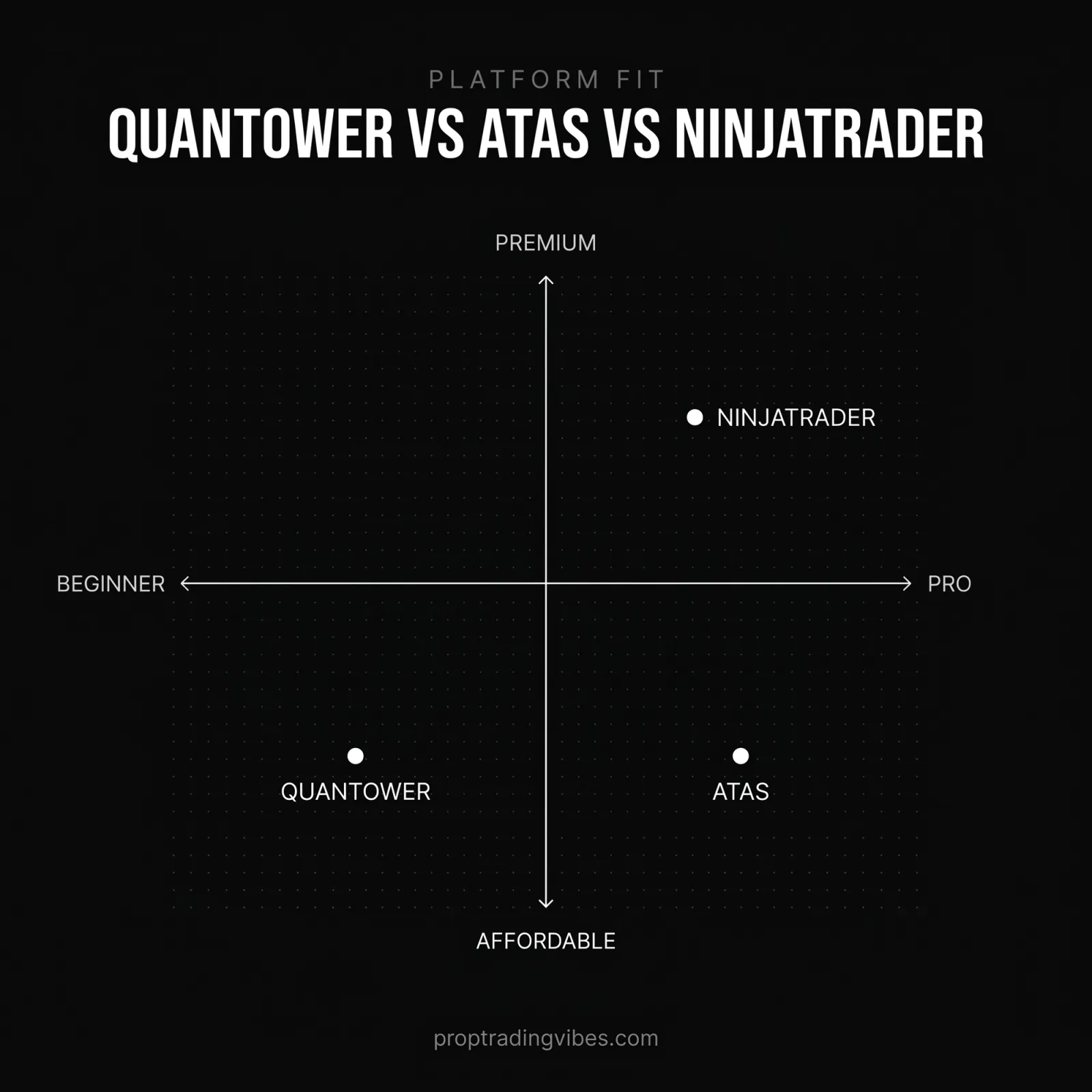
- • Vs ATAS: ATAS goes deeper on footprints, Quantower is the more complete platform. Vs NinjaTrader: Quantower wins order flow, NinjaTrader wins automation.
- • Supported at Bulenox, MyFunded Futures, Lucid Trading, YRM Prop, and more, mostly through Rithmic.
I've run Quantower across multiple prop firm accounts and direct Rithmic and CQG connections, and this review reflects that hands-on use as of mid-2026. The short version of my verdict: if your edge is built on order flow, Quantower is one of the strongest analytical platforms you can connect to a funded account. The longer version covers what it costs, where it falls short (Mac users, look away), and how it stacks up against ATAS and NinjaTrader.
Features and pricing evolve, so verify details on Quantower's official site before buying a license.
What Is Quantower?
Quantower is a desktop trading platform developed by a Ukrainian fintech team, launched around 2018, and it has steadily built a reputation as one of the most versatile analytical tools in futures trading. The pitch isn't flashy. It's a modular platform where every panel, charts, DOM, footprint, volume profile, watchlist, order entry, functions independently and can be arranged across multiple monitors however you want. You're building your own trading cockpit from individual components.
What makes Quantower relevant for prop traders specifically is the combination of advanced order flow tools and broad compatibility with the data feeds prop firms actually use. Most futures prop firms connect through either Rithmic or CQG, and Quantower supports both. When your firm hands you a Rithmic login, Quantower connects directly to that data and gives you tools the firm's default platform might not offer. If you're still unclear on the feed side, my Rithmic vs Tradovate breakdown covers how those infrastructures differ.
The platform supports over 60 connections in total: Interactive Brokers, AMP Futures, CQG, Rithmic, Binance, dxFeed, and dozens more. For prop traders, Rithmic and CQG are the ones that matter. Those feeds power the evaluation and funded accounts at most futures prop firms.
The Order Flow Arsenal: Quantower's Core Strength
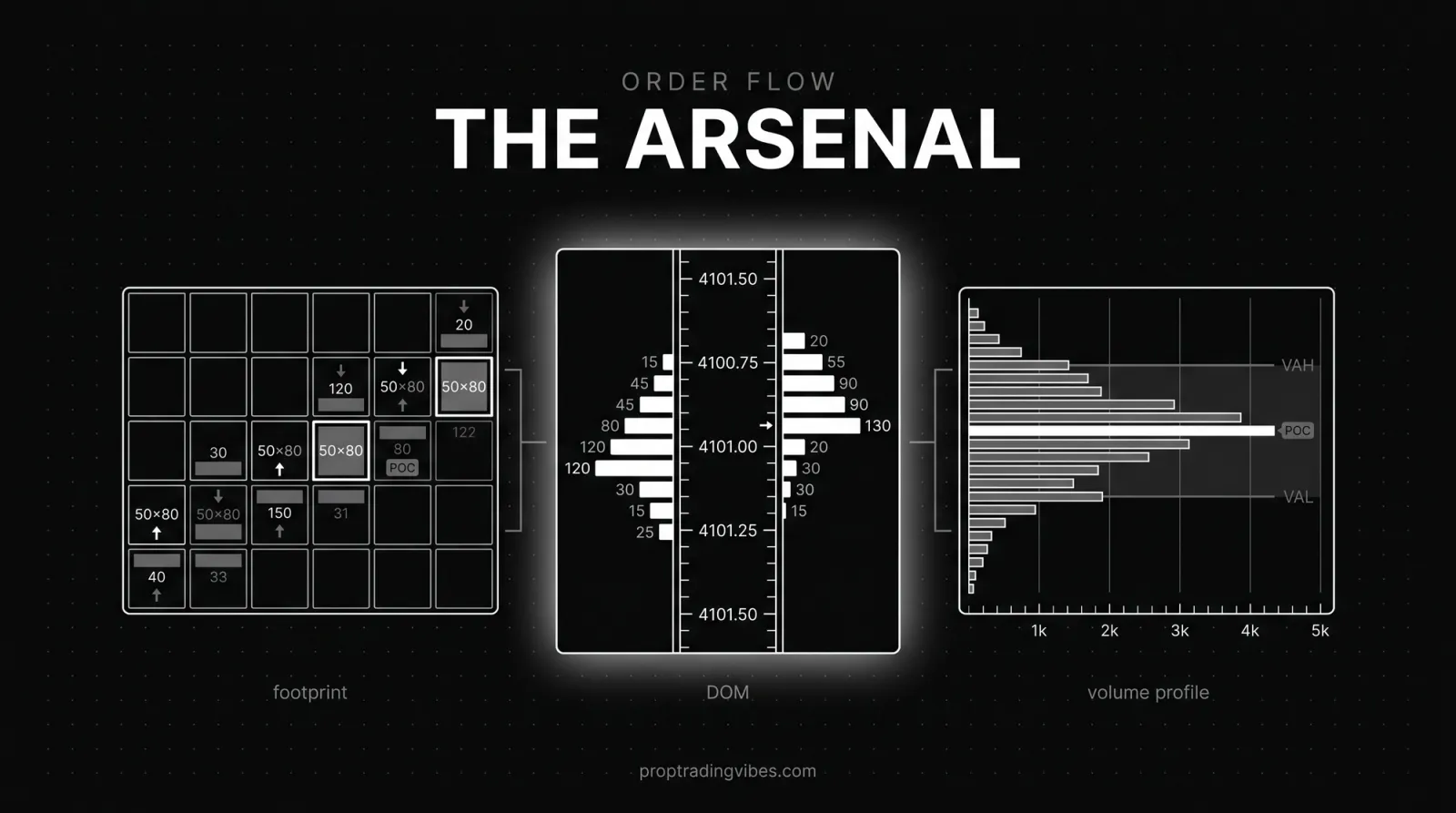
This is where Quantower separates itself from platforms like Tradovate or TradingView. If your trading edge is built around reading what the market is doing beneath the surface, Quantower gives you a toolkit most competitors either don't offer or charge separately for. These tools complement, and in some cases replace, the standard indicators most futures traders run.
Footprint Charts (Cluster Charts)
Quantower's footprint implementation shows bid/ask volume at every price level inside each candle. You see exactly where aggressive buyers overwhelmed sellers, where absorption happened, and where volume dried up. You can configure the imbalance ratio (I use 200% and higher), filter by minimum volume thresholds, and overlay delta data. It took me about a week of daily use to get my footprint configuration dialed in, but once set, the template saves across sessions.
Volume Profile
Volume profile shows where trading volume concentrated at specific price levels over a chosen period. Point of Control, Value Area High, and Value Area Low become your reference levels for the session, and Quantower lets you overlay yesterday's profile, the weekly profile, and the session profile on the same chart.
For prop traders managing drawdown-limited accounts, these levels are genuinely useful for stop placement. A stop anchored just outside the value area survives normal rotational movement far better than a stop at an arbitrary 20-tick distance. I've been clipped enough times by random-distance stops to feel strongly about this.
DOM Surface: Yes, Quantower Has a Heatmap
Does Quantower have a heatmap? Yes. It's called DOM Surface, and it's Quantower's answer to Bookmap. It visualizes the order book across time, so instead of just seeing current resting orders, you see where limit orders have been placed, pulled, and absorbed. Spoofing attempts, genuine support built by persistent limit orders, the transition points where passive buyers get overwhelmed, all of it becomes visible. It runs at high refresh rates with color coding that makes large order clusters jump out.
Is it better than Bookmap? Different. Bookmap is purpose-built for this exact visualization and customizes deeper. DOM Surface is one panel among 40+, integrated into a complete trading environment. If order book visualization is your only tool, Bookmap might edge it. If you want the heatmap next to footprint, volume profile, and execution panels in one platform, Quantower is more efficient.
TPO Charts and the DOM Trader
TPO (Market Profile) charts show how price distributes over time, forming the classic bell curve. Quantower's implementation includes letter-based profiles, customizable session splits, and real-time developing profiles.
The DOM Trader is the execution panel. Full order book, working orders, one-click limit orders at any price level, bracket orders with stop and target attached automatically. For prop accounts where one accidental market order can turn a green day red, keep order confirmation on during your first week.
Quantower Pricing 2026: Is There a Free Version?
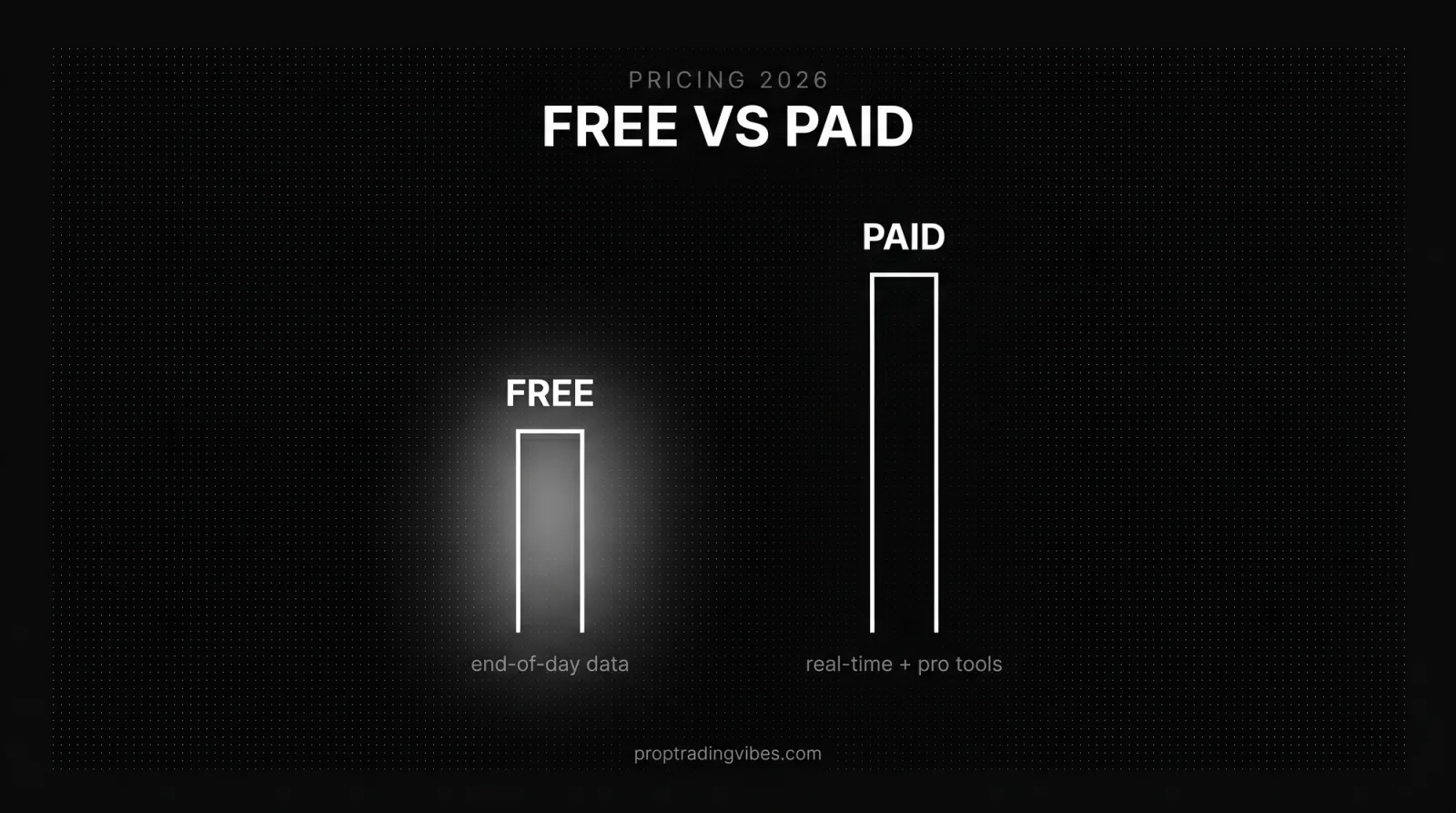
Yes, Quantower has a free version, but it won't get you the order flow tools. The Free plan covers basic charting, fundamental indicators, watchlists, and limited broker connections. Genuinely usable for learning the platform. The footprint, DOM Surface, and volume analysis tools, the entire reason you'd choose Quantower, require a paid license.
Here's the full pricing picture:
| Plan | Cost | What You Get |
|---|---|---|
| Free | $0 | Basic charting, fundamental indicators, watchlists, limited connections |
| Crypto Package | From ~$40/month | Crypto-specific tools |
| Multi-Asset Package | Mid-tier | Advanced charting, volume analysis, broader connectivity |
| All-in-One | $70/month | Everything: footprint, DOM Surface, TPO, volume profile, algo development, all connections |
| All-in-One Lifetime | ~$1,590 one-time | Breaks even vs monthly after roughly 16-20 months |
Longer subscriptions get discounted: 20% off for six months, 30% off for annual. The lifetime license is a real upfront hit, but if you plan to trade for more than 16-20 months, the math works in your favor.
And then there's the shortcut most new traders don't know about. AMP Futures offers the full Quantower platform, every feature, no restrictions, completely free to their customers through the CQG connection. Optimus Futures runs a similar deal with "Optimus Flow," which is built on Quantower technology. Trade through either broker and you get institutional-grade tools at zero platform cost.
For prop traders, the pricing question comes down to your firm's data feed. If your firm uses CQG, the AMP/Optimus free route might work. If your firm uses Rithmic, which most do, you'll need the paid license with Rithmic connectivity. At $70-$100 per month that's a real business expense, but it's the cost of professional-grade tools.
Quantower vs ATAS
Both platforms specialize in order flow analysis for futures traders, and this is the comparison I get asked about most after NinjaTrader.
| Quantower | ATAS | |
|---|---|---|
| Order flow depth | Footprint, DOM Surface heatmap, TPO, volume profile, all native | Deeper footprint customization, wider variety of order flow indicators |
| Platform scope | Complete trading environment, 40+ panels, execution built in | Order flow specialist first |
| Connectivity | 60+ connections including Rithmic, CQG, Interactive Brokers, Binance | Narrower, futures-focused |
| Interface | Modern, modular, strong multi-monitor support | The long-time gold standard for cluster charts, but less of a full cockpit |
| Pricing | Free tier; $40-$100/month; ~$1,590 lifetime; free via AMP/Optimus on CQG | Paid subscription; no broker-sponsored free route I'm aware of |
| Learning curve | Steep, driven by workspace depth | Steep, driven by indicator depth |
The honest framing: ATAS has been the gold standard for cluster chart analysis for years. Its footprint customization goes deeper and the variety of order flow indicators is wider. If footprints are your only tool and you want maximum depth on that one instrument, ATAS may edge it.
Quantower wins on everything around the order flow. Better multi-broker connectivity, a more modern interface, and the fact that your heatmap, TPO, charting, and execution all live in one platform instead of requiring a second tool. For a prop trader who wants one workspace connected to a Rithmic account, that integration matters more than the last 10% of footprint depth. That's why I trade on Quantower and not ATAS, even though I respect what ATAS does.
Quantower vs NinjaTrader
Both platforms dominate futures prop trading, so the comparison is inevitable. Category by category:
| Category | Winner | Why |
|---|---|---|
| Order flow tools | Quantower | Footprint, DOM Surface, TPO native; NinjaTrader needs paid third-party add-ons to match |
| Automation & backtesting | NinjaTrader | C# scripting, Strategy Analyzer, a massive add-on marketplace, 20+ years of community strategies |
| Brokerage integration | NinjaTrader | It's a broker; open an account and trade directly |
| Interface & customization | Quantower | Modular panels and multi-monitor setups work better; NinjaTrader's UI shows its age |
| Stability & track record | NinjaTrader | Around since 2003, powers 1.9 million traders |
| Pricing | Even | NinjaTrader: free basic, $99/month, $1,499 lifetime. Quantower: $70/month, $1,590 lifetime, free via AMP/Optimus on CQG |
My verdict hasn't changed since I first wrote this review. For order flow traders, Quantower is the better analytical platform. For automation-heavy traders, NinjaTrader is more capable; Quantower's C# API and algo environment cover basics, but the ecosystem is a fraction of NinjaTrader's. For prop trading specifically, where you're making manual decisions on real-time market data and don't need bots, Quantower's toolkit gives you a genuine analytical edge.
If you're weighing NinjaTrader against other mainstream options too, I've compared NinjaTrader vs Sierra Chart vs Tradovate separately.
Does Quantower Work on Mac?
No. Quantower is Windows-only, with no native macOS application and, as of 2026, no official timeline for one despite years of community requests.
Your realistic options as a Mac user:
- Parallels or another VM. Works, but adds complexity and potential performance issues, which matters when you're running multiple footprint charts and a DOM Surface in real time.
- A Windows VPS. Rent a remote Windows machine and run Quantower there. Stable, but you're trading through a remote desktop session.
- A different platform. MotiveWave supports macOS natively and covers similar analytical ground. Browser-based platforms sidestep the OS question entirely, I've reviewed DXtrade, TradeLocker, and Black Arrow, all of which run wherever a browser runs.
If you're committed to Quantower's specific toolset on a Mac, the VPS route is the cleanest of the bad options. If you're flexible, pick a platform that actually supports your hardware.
What Traders Say: Trustpilot and Reputation
Quantower's Trustpilot sits at approximately 4.6 out of 5 across 330+ reviews. That's a small sample compared to MetaTrader's ecosystem, but the reviews consistently highlight two things: the quality of the order flow tools and the responsiveness of the support team. Two team members, Evgeny and Artur, get mentioned by name repeatedly. You don't get that kind of personalized support from the large platform providers.
My own experience matches the pattern. The platform is generally stable for live trading, the development team pushes frequent updates, and the Discord community plus documentation are solid learning resources. The recurring complaint, and it's fair, is the learning curve. The modular interface and 40+ panel types overwhelm beginners who come from Tradovate or TradingView. That's a trade-off, not a flaw.
Prop Firms That Support Quantower
Quantower is a platform option at a significant number of futures prop firms. From my tracking, here's where it currently stands:
**Bulenox** offers Quantower alongside NinjaTrader, Sierra Chart, R|Trader, and MotiveWave. With affordable evaluation pricing and a static drawdown model, Bulenox plus Quantower's order flow tools is one of the strongest combinations for volume-analysis traders.
**MyFunded Futures** supports Quantower along with Tradovate, NinjaTrader, Sierra Chart, TradingView, and R|Trader. MFF's reputation for straightforward rules and reliable payouts makes it a popular pairing with a professional-grade platform.
**Lucid Trading** supports Quantower alongside MotiveWave. I've traded with Lucid for an extended stretch and can confirm the Rithmic connection works seamlessly with their infrastructure. The footprint charts are particularly useful here because Lucid's trailing drawdown model rewards precise entries over aggressive sizing.
**YRM Prop** also lists Quantower in its platform lineup, alongside options like Deepchart, for traders who want order flow tooling on YRM accounts. Since August 4, 2026, the YRM help center also lists NinjaTrader and Tradovate as platforms one and two of eight, and it documents TradingView as connectivity for eligible accounts through a compatible platform such as Tradovate. If you run that tooling on a YRM account, note the line YRM draws: manual, discretionary trading is always permitted, but tick-scalping strategies, sub-second order placement or cancellation, spoofing or layering, and latency-driven execution algorithms are prohibited.
The Trading Pit provides Quantower access through its futures programs on Rithmic. Their Daily Pause mechanism, which freezes your account instead of terminating it at the daily loss limit, pairs well with Quantower's precision tools.
Setting Up Quantower for Prop Trading
Getting Quantower running on a prop firm account takes about 15 minutes. The initial configuration deserves an hour.
Download from Quantower's site (Windows only), install, and create a Quantower account for license management. The important step is the trading connection: go to Connections, select Rithmic (or CQG, depending on your firm), and enter the server address, username, and password your firm provided. Quantower pulls your account's instruments and positions. If your firm provides separate demo and live credentials, start with demo, the same logic I lay out in my futures trading simulator guide.
My recommended single-monitor starting layout: one footprint chart (5- or 15-minute bars) on the left two-thirds, DOM Trader on the right third, volume profile overlaid on the chart, and a small Time & Sales panel in the corner. Save it as a template immediately. Multi-monitor traders can spread footprint, DOM Trader, and TPO across screens, since each panel sits independently wherever you put it.
Three settings matter most for prop accounts: enable order confirmation to prevent accidental entries, set your default quantity to match your firm's contract limits, and configure bracket order templates with your standard stop and target distances.
One thing that catches people off guard: workspace configurations save locally. If you reinstall or switch computers, export your templates first. I've lost a carefully built multi-panel setup to a forgotten backup exactly once. Once was enough.
Frequently Asked Questions
Is Quantower free?
Quantower has a free tier with basic charting, watchlists, and limited connections, but the order flow tools (footprint, DOM Surface, volume analysis, TPO) require paid licenses from $40 to $100 per month, with a lifetime option around $1,590. AMP Futures and Optimus Futures customers get the full platform free through the CQG connection, which is the most cost-effective route to every feature.
Does Quantower work on Mac?
No. Quantower is Windows-only with no native macOS app and no official timeline for one as of 2026. Mac users can run it through Parallels or a Windows VPS, or switch to MotiveWave, which supports macOS natively.
Does Quantower have a heatmap?
Yes. DOM Surface is Quantower's order book heatmap, similar to Bookmap. It shows where limit orders have been placed, pulled, and filled across price and time, revealing spoofing, genuine support and resistance clusters, and the points where passive order flow gets overwhelmed.
How much does Quantower cost per month?
Paid packages range from $40 to $100 per month. The All-in-One package at $70-$100 per month includes everything. Six-month subscriptions get 20% off, annual gets 30% off, and the ~$1,590 lifetime license breaks even after roughly 16-20 months.
What data feeds does Quantower support?
Over 60 connections, including Rithmic, CQG, Interactive Brokers, AMP Futures, dxFeed, and Binance. For prop trading, Rithmic and CQG are the relevant ones, and you can run a prop account, personal brokerage account, and crypto exchange in the same workspace simultaneously.
Which prop firms support Quantower?
From my tracking: Bulenox, MyFunded Futures, The Trading Pit, Lucid Trading, YRM Prop, AquaFutures, Funded Futures Network, and FuturesElite. Most connect through Rithmic. Confirm with your firm before buying a license, since platform availability can vary by account type.
Is Quantower better than NinjaTrader?
For native order flow analysis, yes. For automation and backtesting, no, NinjaTrader's scripting ecosystem and add-on marketplace win decisively. Discretionary order flow traders generally prefer Quantower; automation-focused traders prefer NinjaTrader.
How does Quantower compare to ATAS?
ATAS offers deeper footprint customization and a wider variety of order flow indicators, and it's been the gold standard for cluster charts for years. Quantower offers a broader platform: 40+ panels, better multi-broker connectivity, and a more modern interface. Order-flow-only purists may prefer ATAS; traders who want one complete environment usually land on Quantower.
Is Quantower good for beginners?
It can be overwhelming. The modular interface and 40+ panel types create a steep learning curve compared to Tradovate or TradingView. The free tier lets you explore without commitment, and the documentation and Discord community are solid. Budget a week of setup time and the platform rewards it.
Can I use Quantower with Rithmic?
Yes, Rithmic is one of Quantower's primary connections and the most relevant one for prop traders. Enter your firm's Rithmic server address, username, and password in the connection manager, and the platform syncs your instruments, positions, and order management.
The bottom line
Hands-on Quantower review covering pricing tiers and the free version, the missing Mac support, head-to-head tables vs ATAS and NinjaTrader, and the futures prop firms that support it via Rithmic and CQG.
What should you do next?
Continue with the decision that follows naturally from this guide.
