
Table of contents
Table of contents
Quick answer: DeepCharts trading platform
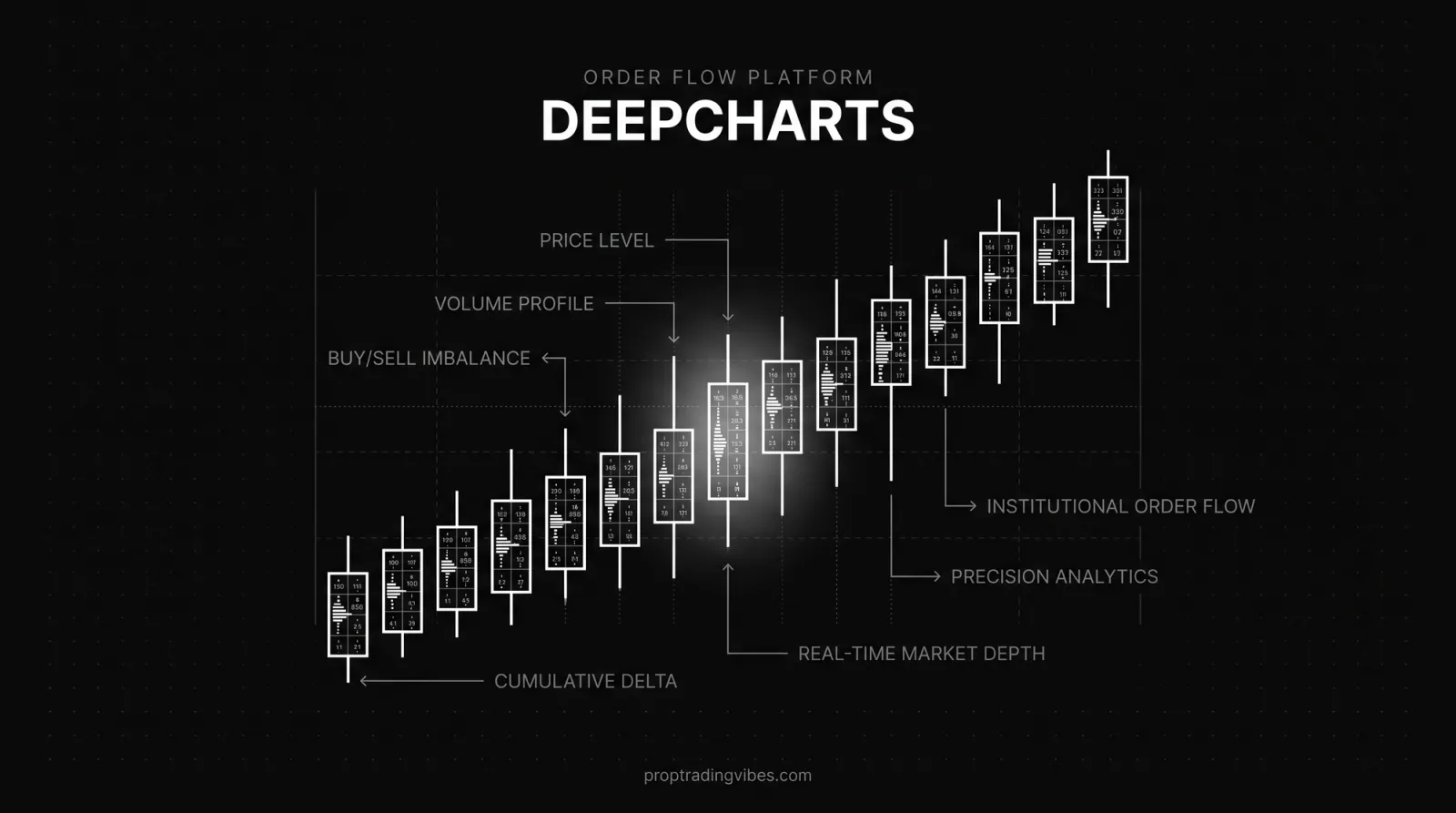
- DeepCharts is Volumetrica's Windows order-flow platform with footprint charts, volume profile, DOM tools and 80+ indicators.
- The current standalone Full plan is listed for Windows only: $99 monthly, currently $74.50 with a 25% promotion, or $891 billed annually. Delayed data is included; real-time feeds cost extra.
- YRM Prop separately lists DeepChart Desktop and DeepChart Web. That firm-specific browser entitlement is not proof that the standalone retail plan runs in every browser.
- DeepCharts is strongest for futures traders who need order-flow analysis. TradingView remains broader for general charting; ATAS offers deeper customization.
I first tested DeepCharts after more than a year of using NinjaTrader and TradingView for prop evaluations. Its practical difference was immediate: the footprint chart exposed aggressive buying and selling at each price level during the ES opening drive, information a standard candle did not show.
Order flow is the product. DeepCharts makes volume, delta and liquidity behavior visible inside the chart instead of leaving the trader to infer it from price alone.
Updated August 27, 2026. This review separates the current standalone Windows product from historical firm-specific entitlements. YRM Prop removed DXFeed platforms from new purchases on August 26, so an older YRM dashboard must not be presented as current DeepCharts availability.
What Is DeepCharts?
DeepCharts is the flagship order flow platform built by Volumetrica Trading, an Italian fintech company that's been providing trading technology to futures prop firms for over five years. The name "DeepCharts" is sometimes used interchangeably with "Volumetrica", same company, same tech, different branding contexts. When a prop firm says they support "Volumetrica," they mean DeepCharts.
The platform was born from a specific frustration: order flow tools were either expensive (ATAS at $69/month, Bookmap at $39-$79/month) or locked behind clunky desktop-only interfaces that felt like they were designed in 2008. Volumetrica's founding team, including Fabio Valentini, a four-time top-ranked trader in the Robbins World Cup futures competition, set out to bring institutional-grade volume analysis into a modern, accessible package.
They actually did it. And they haven't slowed down in 2026. The v15 release on February 8 added a Portfolio interface, a TPO/Volume Profile chart type, trailing stops with auto-breakeven, and Interactive Brokers plus CQG connectivity. DeepDom, a liquidity and order-flow heatmap, entered Beta on May 18, 2026. And the v15.6 update on June 24 sharpened order-flow analysis and market-depth visualization further.
Is DeepCharts browser-based or Windows-only?
The current standalone DeepCharts Full pricing page labels the purchasable platform as Windows-only. A legacy prop-firm dashboard may still show a separate web entitlement, but YRM Prop no longer offers its former DXFeed platform set on new purchases.
The data backbone is dxFeed, a professional market data provider that serves institutional clients. Data quality directly impacts order flow accuracy: if your footprint chart renders stale or missing ticks, you're deciding on incomplete information. dxFeed doesn't have that problem.
Instrument Coverage
DeepCharts covers CME instruments natively, ES, NQ, CL, GC, and the full CME product suite. Through the Phidias prop firm integration specifically, you also get EUREX access: DAX futures, Euro Stoxx 50, Euro Bund. That EUREX access is exclusive to Phidias, you won't find it on the standalone DeepCharts subscription. If you trade European indices, that's a meaningful differentiator.
The Order Flow Toolkit
Footprint Charts
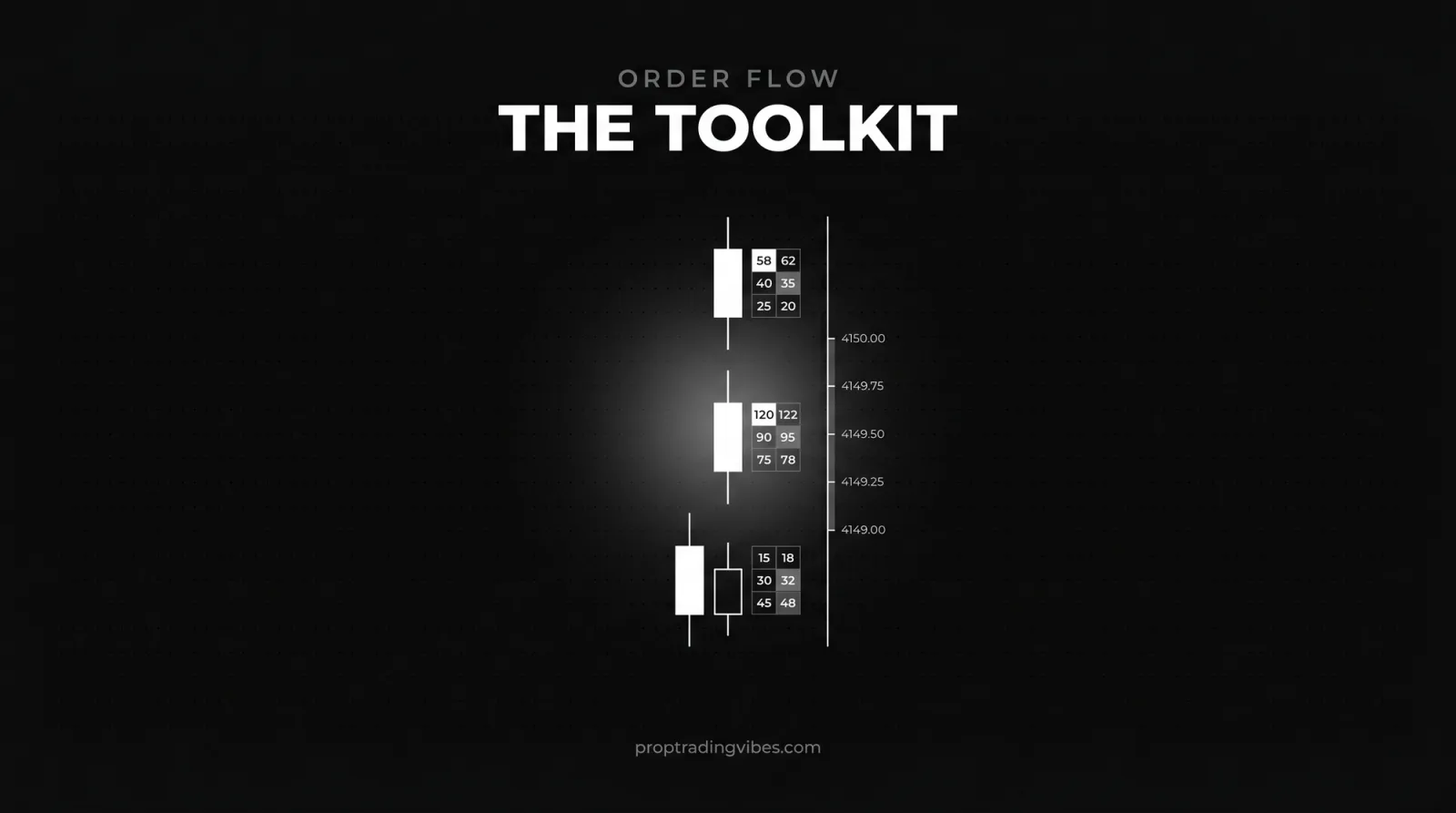
This is the centerpiece. Footprint charts display the volume of aggressive buying and selling at every individual price level within each candle. Standard candlestick charts show you open, high, low, close. Footprint charts show you WHY the candle formed the way it did. Where were the aggressive buyers? Where did sellers absorb?
A real example. During a recent CPI release, ES gapped down 15 points at the open. A regular chart showed a big red candle. The footprint showed something different: aggressive selling in the first 30 seconds, then massive passive buying absorption at the -12 point level, followed by aggressive buying that drove price back up 8 points within 2 minutes. The regular chart eventually showed this as a long lower wick. The footprint showed it live.
You're not reading the story after it's written. You're watching it being written.
Volume Profile
DeepCharts' volume profile tool goes well beyond the basic version on most charting platforms. Daily, weekly, composite, and custom session profiles. Delta profiles showing where net buying versus selling occurred. Value area calculations with high-volume and low-volume nodes clearly marked.
What I actually use daily: the composite volume profile with 5-day lookback. It shows me the current week's value area, where 70% of volume traded. When price leaves that area, we're either exploring for new value or getting rejected. Simple concept. Powerful when the footprint confirms whether the move carries genuine aggressive volume or just thin-market noise.
DOM Ladder and Order Flow Analyzer
The DOM (depth of market) ladder shows resting limit orders on both sides of the book. DeepCharts' version adds historical order tracking: you can see when large limit orders were placed, pulled, or filled. Not spoofing detection exactly, but you can spot patterns where large resting orders appear at a level, attract price, then disappear. Useful for avoiding traps.
The Order Flow Analyzer is a separate panel that aggregates order flow into digestible metrics, cumulative delta, delta momentum, volume imbalances, absorption detection. Think of it as your order flow dashboard. Reading raw footprint data takes practice; the analyzer gives you filtered signals from the same data.
Is DeepCharts Free? Pricing in 2026
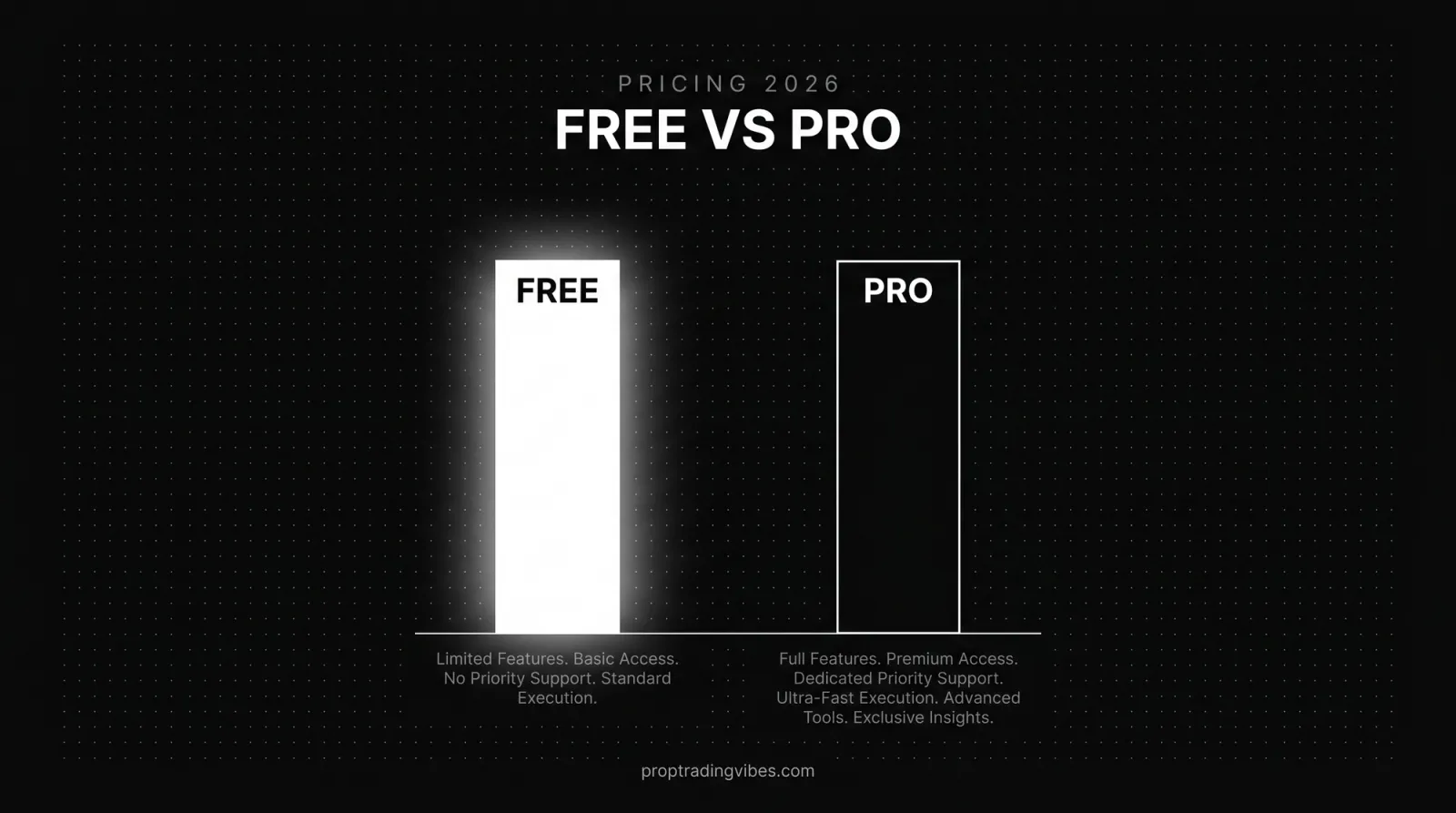
Yes and no: DeepCharts is genuinely free through supported prop firms, but standalone access requires a paid subscription, with real-time data as an add-on. Here's how the access paths break down.
| Access path | Platform cost | Data | Best for |
|---|---|---|---|
| Through a supported prop firm | $0, bundled with your evaluation | Real-time, included | Anyone already paying for evals |
| Standalone subscription | Monthly fee (varies by feed choice) | dxFeed, Rithmic, or CQG, billed separately | Traders outside the supported firms |
| Free delayed plan | $0 (unconfirmed on official pricing page) | 15-minute delayed feed | Practice and learning the platform |
Through prop firm accounts: Several futures prop firms include DeepCharts at no additional platform cost. When you purchase an evaluation with DeepCharts selected as your platform option, access is bundled. No separate subscription, no activation fee. That's a legitimate money-saver if you're already paying for evaluations.
Standalone subscription: Available on deepcharts.com. Deepchart Full runs $99 per month at the regular rate, currently $74.50 per month with a 25% launch promo, and $891 per year on the annual plan. A bundle with the new DeepDom heatmap lists at $1,599 per year, or $1,247 per year on promo. The subscription includes 15-minute delayed dxFeed data; real-time data is a separate add-on, with dxFeed, Rithmic, or CQG as connection options. If you're weighing feed options for execution too, my Rithmic vs Tradovate breakdown covers what each connection actually changes in practice.
Built-in trade copier: DeepCharts includes a trade copier that mirrors trades across multiple prop firm accounts simultaneously. No third-party software needed. If you're running 3-4 evaluation accounts at once, this feature alone saves you the cost of a separate copier subscription ($20-$50/month from most providers).
DeepCharts vs ATAS
whereas a separate browser route depends on a current account-specific partner entitlement
| Factor | DeepCharts | ATAS |
|---|---|---|
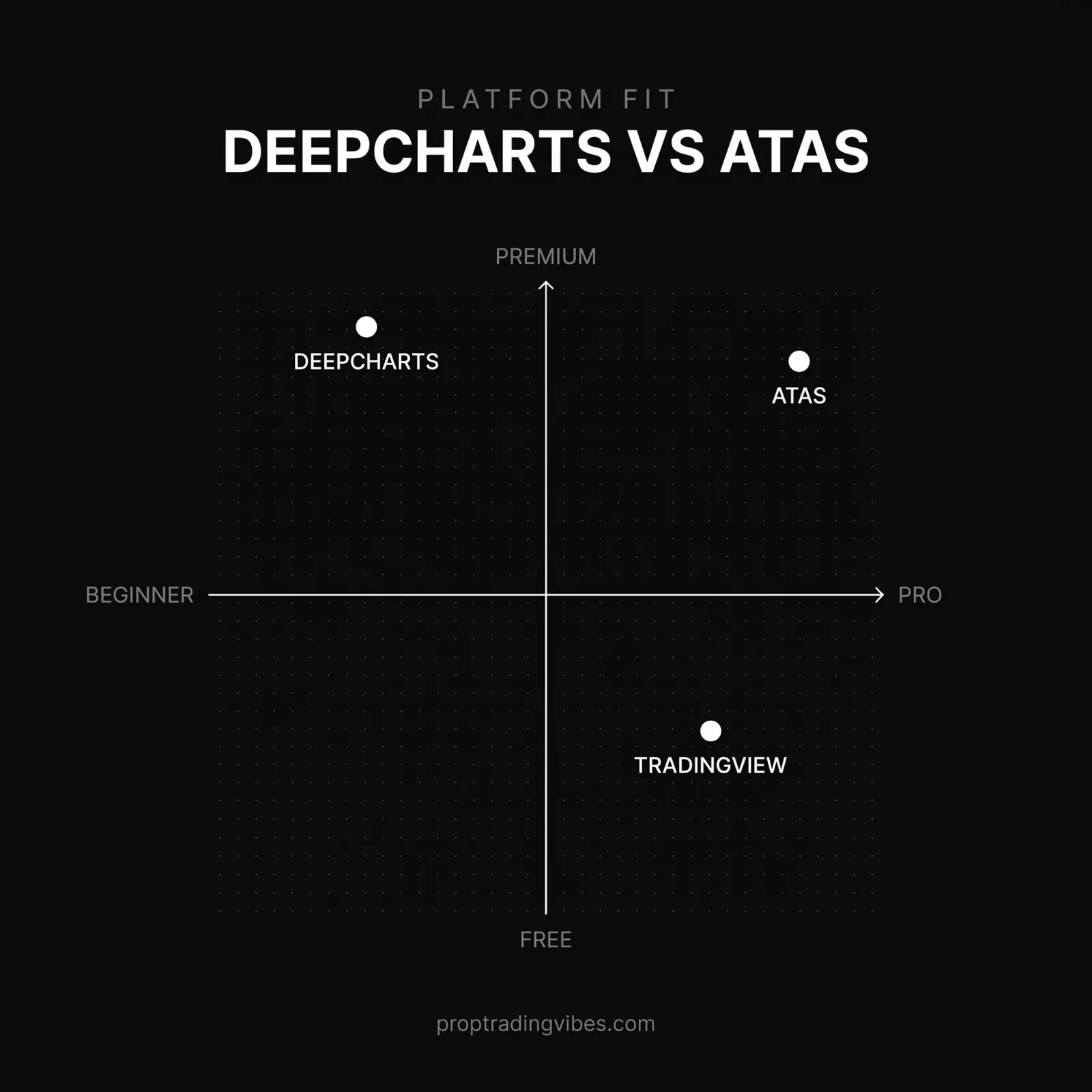
| Pricing | Free via some prop firms; standalone $99/month (promo $74.50) | $69/month |
| OS support | Standalone Full: Windows only; separate DeepChart Web may be supplied by an eligible prop firm | Windows desktop |
| Data feeds | dxFeed default; Rithmic and CQG available | Multiple feed connections |
| Learning curve | Sensible defaults, productive in ~20 minutes | Weeks of configuration for full setup |
| Customization | 80+ built-in indicators, no custom coding | Deeper customization options |
| Prop firm path | Bundled free with Phidias; offered by some other firms | Paid separately in most cases |
| Track record | Younger ecosystem, growing fast | Longer established history |
The customization gap is real. ATAS lets experienced order-flow traders go deeper into configuration. A bundled DeepCharts entitlement can still be attractive for a prop trader, but confirm whether the firm supplies Desktop, Web, data, or only a supported connection before assigning it a zero-dollar value.
The default templates are the underrated part. Green for aggressive buying, red for aggressive selling, opacity scaled by size. You don't need to customize anything to start extracting value, which is exactly the opposite of my ATAS experience.
If you came here from the desktop-platform world, my NinjaTrader vs Sierra Chart vs Tradovate comparison covers how the traditional execution platforms stack up against each other. DeepCharts and ATAS sit in a different category: analysis-first order flow tools.
DeepCharts vs TradingView
This isn't really a fair fight, because they're different tool classes. TradingView is a charting and technical analysis platform; DeepCharts is an order flow platform. Asking which is "better" is like asking whether you need a map or night-vision goggles. Different jobs.
| Factor | DeepCharts | TradingView |
|---|---|---|
| Core job | Order flow: footprint, DOM, delta, absorption | Charting and technical analysis |
| Footprint charts | Yes, the centerpiece feature | No true footprint charts |
| Volume profile | Advanced: composite, delta, custom sessions | Basic version |
| Custom indicators | No custom coding; 80+ built-in | Pine Script, massive community library |
| Price | Free via prop firms; paid standalone | Free tier; paid plans for more features |
| Markets | CME futures (EUREX via Phidias) | Nearly everything: stocks, forex, crypto, futures |
| Community | Growing, still small | Enormous |
Who needs which? If you trade off moving average crossovers, trendlines, and candlestick patterns, TradingView does basic technical analysis better, for free, with a prettier chart. I wrote a full TradingView review covering where it shines and where it stops. Its volume profile is a basic version of what DeepCharts offers, and footprint charts simply don't exist there.
If you want to see WHO is buying and selling at each price, not just where price went, you need an order flow tool, and DeepCharts is the most accessible one I've used.
Plenty of traders run both. TradingView for higher-timeframe context and watchlists, DeepCharts for execution-timeframe order flow. Some pair DeepCharts with a dedicated execution platform too, my Tradovate platform guide explains why that combination is common in futures prop trading.
Which Prop Firms Support DeepCharts?
YRM Prop previously offered Volumetrica and DeepChart routes through its DXFeed platform set. Its official owner states that those routes are no longer available for new purchases from August 26, 2026. Existing users should follow the entitlement in their own dashboard rather than treating YRM as a current DeepCharts purchase route
Phidias Propfirm is the deepest integration. DeepCharts is built directly into the Phidias dashboard: select it during checkout and the full platform loads from your member area. No separate login, no additional cost. Phidias is also the only firm offering EUREX access through DeepCharts, DAX, Euro Stoxx, Euro Bund. If European futures are your market, Phidias plus DeepCharts is currently the only prop firm combination that works.
FuturesElite has promoted DeepCharts as part of its trader support system, alongside mentorship and analytics access; confirm current terms directly with the firm.
Funded Futures Family has also been documented as supporting Volumetrica's ecosystem, though integration depth varies. Verify directly with the firm before assuming DeepCharts is available on your account type.
Strengths and Limitations
The zero-cost access through supported prop firms is the obvious headline. But three other strengths matter just as much during evaluations.
- Native risk management. DeepCharts' Money Management system lets you set daily P&L limits, per-trade max loss, and total loss caps at platform level. Automatic flattening near a daily limit is a safety control, but its trigger must match the firm’s actual calculation. Annoying in the moment. Saved that evaluation.
- Manageable learning curve. Sensible default templates, intuitive color coding, productive within 20 minutes. ATAS took me three weeks.
- Built-in education. Weekly Wednesday live streams charting ES during the New York open using order flow, plus Friday sessions with the actual developers. I watched three sessions and picked up template configurations that genuinely improved my volume profile readability.
Now the limitations, because nothing's perfect.
DeepCharts is futures-focused. No forex, no crypto, no equities. Volumetrica's newer DeepChartFX product is expanding into CFDs, but it's a separate product. If your prop firm runs on a CFD or crypto stack, you'll be looking at platforms like the ones in my DXtrade review or TradeLocker review instead, DeepCharts is simply not in that conversation.
while some historical firm entitlements separated Desktop and Web products
Customization has limits. You can adjust colors, timeframes, chart types, and indicator settings, but you're not building custom indicators from scratch like you would with NinjaScript or Pine Script. You get 80+ built-in indicators, which is a lot, but they're Volumetrica's indicators, not yours.
And prop firm support is narrower than the big platforms. DeepCharts works with a handful of futures prop firms directly, not NinjaTrader's 20+ firm ecosystem. If your firm doesn't support Volumetrica, you can still use DeepCharts standalone with a separate data subscription, but that adds cost.
Who Should Use DeepCharts, and Who Shouldn't
Use DeepCharts if order flow is your edge, or if you want to develop one. If you're reading footprint charts, trading off volume profile levels, or using DOM absorption to time entries, this platform was built for you. The free access through supported prop firms makes the decision even easier.
Don't use DeepCharts if you trade off moving average crossovers, trendlines, and candlestick patterns. Those tools exist in DeepCharts, but you'd be paying, in complexity rather than money, for a platform whose premium features you're ignoring.
Don't use it if you need forex, crypto, or equity access. Futures only, no exceptions on the main product. Multi-asset traders are better served by something like Black Arrow depending on what their firm supports.
And don't use it if you need a massive community ecosystem. The user base is growing, that 38,000-viewer launch event was impressive, but it's still a fraction of NinjaTrader or TradingView's communities. When you have a niche configuration question at 2 AM, the NinjaTrader forum has your answer. DeepCharts might not. Yet.
The bottom line
DeepCharts packages footprint charts, volume profile and DOM analysis into a focused futures platform. The current standalone Full plan is Windows-only, while some prop-firm integrations can provide a separate web entitlement. Its value is strongest when the platform and data access are included with an account you already intend to trade.
Is it perfect? Not even close. The ecosystem is young, the desktop app needs work, and the futures-only limitation rules out a huge segment of prop traders. But for futures traders who understand, or want to understand, order flow? DeepCharts is the most compelling platform option available in 2026. I went in skeptical. I came out with it as my primary charting tool.
Frequently Asked Questions
Is DeepCharts free to use?
YRM Prop listed DeepChart Desktop and Web historically, but removed DXFeed platforms from new purchases on August 26, 2026
Does DeepCharts work on Mac?
A legacy firm entitlement may still provide a browser route, so a Mac user must verify the exact product attached to that account
Is there a free trial of DeepCharts?
No free tier appears on the official pricing page as of July 2026, so treat older mentions of a free delayed feed with caution. The paid subscription does include 15-minute delayed data, which lets you learn footprint charts, volume profile, and the DOM before paying extra for real-time access. The other no-cost route is buying an evaluation at a supported prop firm, where real-time access is bundled.
What data feed does DeepCharts need?
DeepCharts primarily uses dxFeed for professional-grade, ultra-low-latency market data. Rithmic and CQG connections are also available through certain configurations. dxFeed is the default and the recommended option for most prop firm use cases, with reliable tick-level data across all CME products.
What instruments does DeepCharts support?
CME-listed futures including ES, NQ, CL, GC, and the full CME product suite. Through Phidias accounts specifically, EUREX instruments are also available: DAX, Euro Stoxx 50, Euro Bund. No forex, crypto, or equities on the main platform. Volumetrica's separate DeepChartFX product is expanding into CFDs.
How is DeepCharts different from ATAS?
DeepCharts has been faster for me to configure, while ATAS offers deeper customization. The current standalone DeepCharts Full plan is Windows-only. Firm-specific DeepChart Web access may alter that comparison for an eligible prop account.
Does DeepCharts have a built-in trade copier?
Yes. DeepCharts includes a native trade copier that mirrors trades across multiple prop firm accounts simultaneously, no third-party software required. That saves the $20-$50/month a separate copier would cost if you run several evaluations at once.
Can I use DeepCharts for backtesting?
DeepCharts includes chart replay that runs historical market data tick-by-tick with a demo account. Because the replay uses full tick data, footprint charts render accurately, which makes it genuinely useful for learning order flow reading before risking evaluation accounts.
Can I set risk management limits in DeepCharts?
Yes. The native Money Management system supports daily P&L limits, per-trade maximum loss, and total loss caps. When a limit is hit, the platform flattens your position automatically. It's independent of your prop firm's risk overlay. Set it to match your evaluation's daily loss limit.
Should I choose DeepCharts or NinjaTrader for my prop evaluation?
If order flow analysis is part of your strategy, DeepCharts provides superior tools at lower or zero cost. If you need automation, community indicators, or the broadest prop firm compatibility, NinjaTrader wins. Many traders use both: DeepCharts for analysis, NinjaTrader or Tradovate for execution.
